 Tuck
Why a countdown helps when you are apart
Missing someone is easier when it has an end. "I miss you" is open-ended. "Nine days" is not. A countdown turns the distance into something you can watch get smaller, one morning at a time.
It also gives you both something to talk about besides the missing: what you will eat first, where you will go, who is picking up whom at the airport. And on a rough day, seeing the number drop is a small, quiet reminder that the gap is temporary.
Where the countdown shows
Once it is on, the countdown shows on the Tuck widget in three ways:
- Large home screen widget: the full line, like "12 days until I see you".
- Small home screen widget: just the number, like "12 days".
- Rectangular lock screen widget: "12 days to go".
So your own words show on the large widget, while the small widget and the lock screen keep it short. The number changes on its own each day.

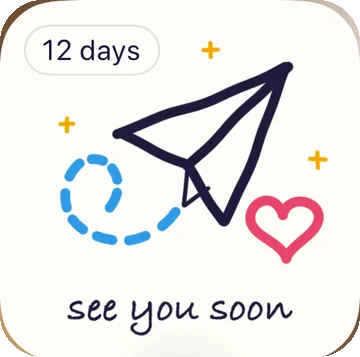
Each of you sets your own
Your countdown is on your phone only. It is never sent to the other phone, so your person does not see your words, and you do not see theirs. If you both want one, each of you turns it on in Tuck on your own phone.
That can be part of the fun. Sam might count down to the day June lands with "until the airport hug", while June picks the same day and writes "until Sam's pancakes". You can also count to different days: one of you to the next visit, the other to the day you move in together.
Ideas for the words after the number
You get up to 24 characters for the words after the number. The default is "until I see you". A few others that fit:
- until the airport hug
- until your hand in mine
- until we share a coffee
- until the long hug
- until our wedding
- until I'm home
- until road trip
Read each one with the number in front, like "4 days until the airport hug", to hear how it lands. Since your countdown is never sent, you can write it for yourself: a private joke, a nickname, the first thing you plan to do together.
When the day passes, and time zones
Tuck counts calendar days. That matters most on the trip itself: if you fly across time zones to see your person, which is often the exact trip you were counting down to, the day you picked does not move.
When the day has passed, Tuck asks you to pick a new one. That is a good moment to plan the next visit together while you are still in the same room, then set the new countdown before you say goodbye.
Adding the widget
The countdown lives on the Tuck widget, so add it if you have not already.
- Home screen: touch and hold an empty spot, tap Edit, then Add Widget, and pick Tuck. Choose the large size to see your words.
- Lock screen: touch and hold the lock screen, tap Customize, then the widget row, and pick Tuck. The rectangular one shows the countdown.
The couples widget guide has the full steps and sizes. For more on staying close between visits, see the guide for couples who live apart.
Step by step
- Open Settings in Tuck Open Tuck and go to Settings.
- Turn on the countdown Turn on "Count down the days".
- Pick the day Choose the day you will see each other. It can be today or any day after.
- Write the words Type the words that come after the number, up to 24 characters. If you leave them as they are, they read "until I see you".
- Add the widget Put the Tuck widget on your home screen or lock screen so the countdown is there every time you pick up your phone.
Common questions
Can my partner see my countdown?
No. Your countdown is on your phone only and is never sent to the other phone. Your person can turn on their own in Tuck, with the same day or a different one, and their own words.
What happens when the day passes?
When the day you picked has passed, Tuck asks you to pick a new one. It is a good excuse to plan the next visit together.
Will the countdown change if I fly to another time zone?
No. Tuck counts calendar days, so crossing time zones, often on the very trip you are counting down to, does not move the day.
How long can the words after the number be?
Up to 24 characters. The default is "until I see you". Others that fit: "until the airport hug", "until our wedding", "until I'm home".
Can I count down to something other than a visit?
Yes. Pick any day from today on: a wedding, a move, a trip, a birthday. Then change the words to match, like "until our wedding".